
Cut inventory, raise supply capability. Right inside weclapp.
weclapp gives you the overview. We turn it into better orders: EazyStock computes forecasts and order proposals on your weclapp data every night, and the documents land in your purchasing in the morning. Without an ERP switch, without an IT project.
Can weclapp optimise inventory automatically?
Only to a limited extent. You maintain min/max values per article by hand, and there's no forecast. An inventory optimisation like EazyStock closes that gap, computing on your weclapp data every night.
How does EazyStock get the weclapp data?
Via the weclapp REST API, cloud to cloud. An API user with read access is enough; there's no installation or infrastructure on your side. Go-live in 2–4 weeks.
Does EazyStock replace weclapp's planning?
No, it adds to it: forecasts, up-to-date parameters, prioritised proposals. Whatever your purchasing approves lands as a document in weclapp's purchasing module.
Ever run into this in weclapp?
Four points where weclapp's planning hits its limits. With links into the weclapp docs so you can read up yourself.
You maintain min/max stock by hand.
You set minimum and target stock per article, often per warehouse, and have to keep adjusting the values. If lead times, demand or assortment shift, your settings are instantly out of date: the planning run still produces proposals, but most likely not the right ones anymore. The more articles, the more master-data maintenance becomes the actual planning work.
Planning in the weclapp docs ↗You see history, not a forecast.
weclapp shows you what has happened and what demand is currently pending. A forecast that projects trend, seasonality and peaks is not something you get. In practice you plan backwards instead of forwards, and in e-commerce especially that quickly means: reordered too late or ordered too much.
Availability display in the weclapp docs ↗You check seasonal articles one by one.
For peaks, launches and trend articles, min/max rarely fits automatically. The requisitions look clean but can completely miss actual demand. Without a forecast you have to judge each one: real trend or outlier? You spend time checking and correcting instead of just waving things through.
Planning run in the weclapp docs ↗You ramp up campaigns manually.
weclapp's campaign module is CRM and marketing: it doesn't push any additional demand into planning. If you run a promo, newsletter wave or ads, you have to plan the extra demand separately. Otherwise the usual happens: demand jumps, and you only react once the stockouts are visible.
Campaigns in the weclapp docs ↗Where does that lead for you?
Manual planning in weclapp is error-prone. We know the pattern from many intro calls:
Can it be done better? Of course: with EazyStock.
EazyStock computes on your weclapp data and answers exactly the four problems above. Your team keeps ordering in weclapp.
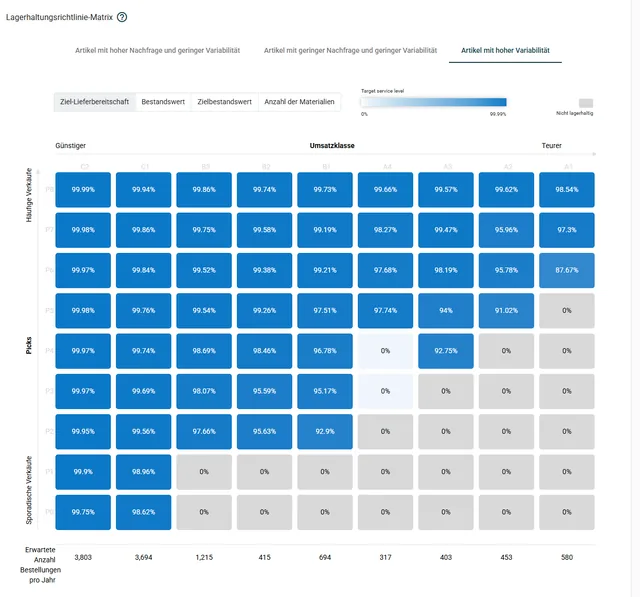
Up-to-date stock parameters.
Safety and reorder stock per article are recalculated every night, derived from your target supply capability. Min/max maintenance is gone.
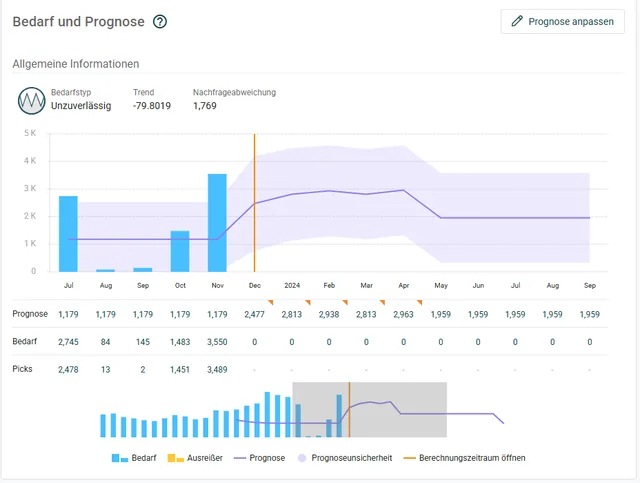
Real forecasts per article.
Trend, seasonality, outlier cleansing: EazyStock computes forwards instead of backwards and adapts when demand shifts.
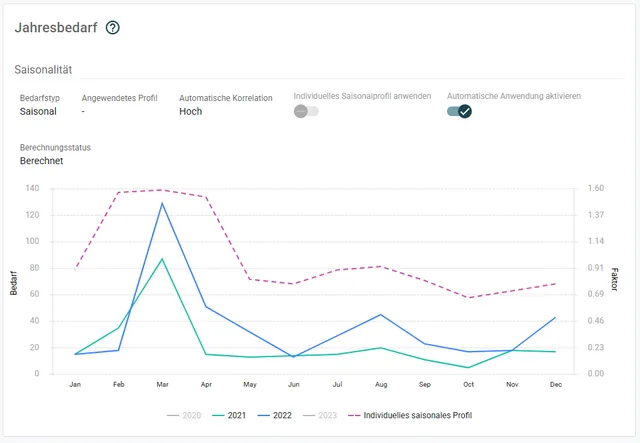
Seasonal articles detected automatically.
Demand patterns are classified per article, and seasonal curves flow directly into the proposals. Without you checking each article individually.
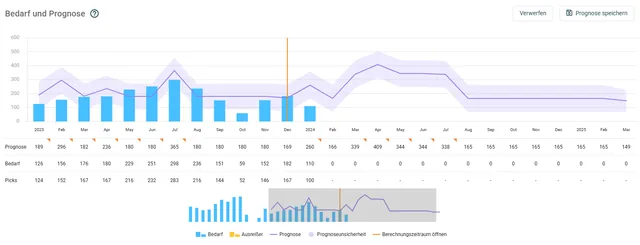
Campaign demand planned in.
Promo planned? You enter the expected extra demand as a forecast adjustment. The order proposals move with it before the stockout becomes visible.
Our fastest connector.
weclapp is cloud, our middleware EazyERP is cloud. There's no infrastructure in between on your side: the connector links both via the weclapp REST API.
Create an API user
In weclapp you create an API user with read access to articles, warehouses and documents. No installation in the ERP.
Your effort: approx. 30 minutes of admin timeRun through the wizard
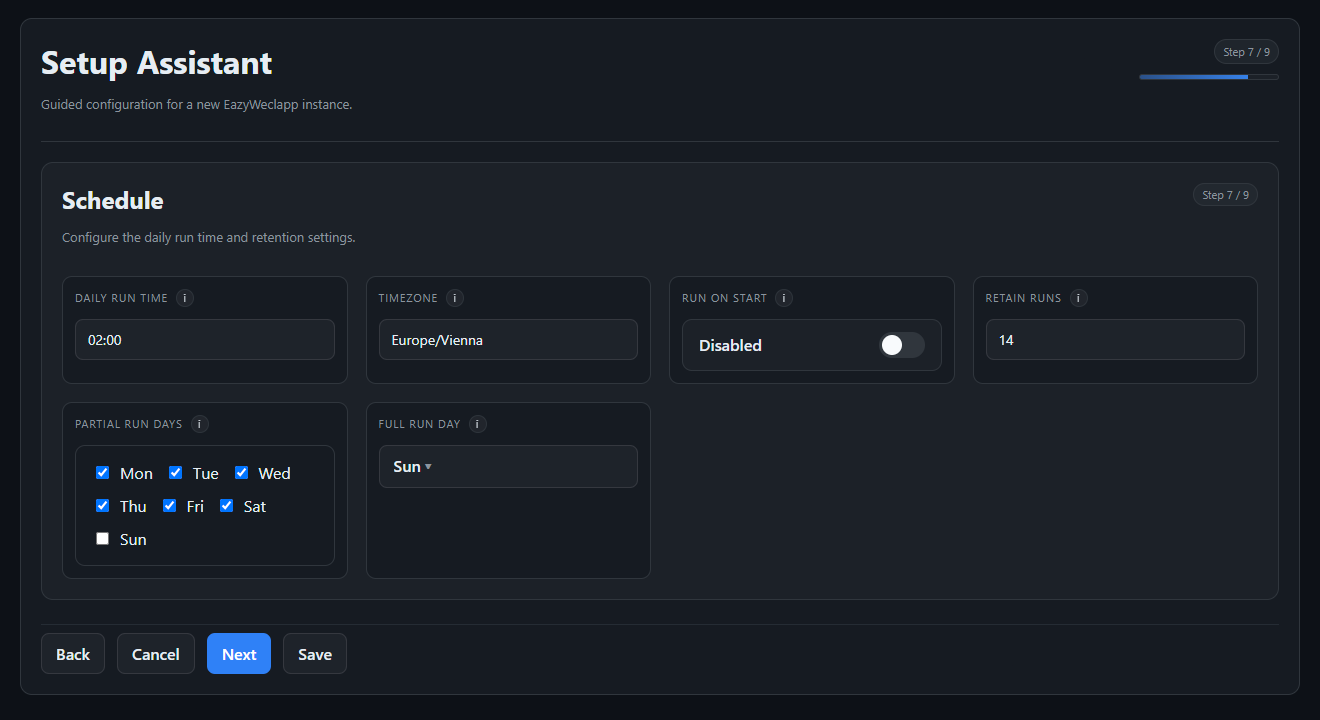
The setup assistant walks through access, reference data and warehouse mapping: the connection is up in minutes. Then we configure your business logic and run test runs.
Your effort: a few clarifying questions, no developer neededNightly operation
Every night, articles, demand and orders flow to EazyStock. Approved proposals become documents in your purchasing in the morning, and production orders for manufactured articles.
Your effort: none in regular operationEvery processed transaction lands in a manifest: repeat runs don't create duplicate documents. The connector is multi-tenant and also runs with several weclapp instances. We monitor the runs, and alerts go to us.
Behind it stands EazyERP, our middleware.
Field mapping to the EazyStock spec, value substitutions, warehouse mapping with roles, a quality gate against the run: what the connector does every night is configured instead of hard-coded, and traceable for every run.
“Friendly, fully committed, and they resolve every challenge promptly.”

Common questions about weclapp and EazyStock.
How long does connecting weclapp to EazyStock take?
The technical connection is up in minutes via the setup wizard. Then come data import, configuration of your business logic and test runs: expect 2–4 weeks to go-live, depending on data quality and assortment.
What do we need to do on our side?
Exactly one thing: create an API user with read access to articles, warehouses and documents. That's around 30 minutes of admin time, no installation, no developer. We handle the rest.
Does the system write into our weclapp?
At night the connector only reads. The only thing written is what your purchasing has approved: order proposals are created as orders, and as production orders for manufactured articles. A manifest prevents duplicates, even on repeat runs.
Does EazyStock replace weclapp's planning?
No, it adds to it. Forecasts, stock parameters and order proposals come from EazyStock; ordering stays in weclapp's purchasing module. Your team keeps its familiar interface and processes.
We have several weclapp tenants. Does that work?
Yes. The connector is multi-tenant and also runs with several weclapp instances in parallel.
What does it cost?
The weclapp connector is part of the EazyStock project, not a separate interface development. Rollout projects start at around €5,000, and licence costs typically start at around €1,000 per month.
Get more out of your purchasing in weclapp.
In the intro call we look at your assortment together and tell you honestly whether it pays off for you.
Arrange an intro call →