
EazyERP: the middleware between your ERP and EazyStock.
Built and operated by us. Every night it pulls articles, demand, orders and bills of materials from your ERP, writes them spec-exact to EazyStock and brings approved order proposals back as documents. This page explains how. In detail.
Four exports out, documents back.
Outbound, EazyERP generates four file types to the EazyStock specification every night, pipe-delimited, versioned per run. Inbound, it polls the approved order proposals and creates documents from them in your ERP.
Items
02:00Articles with stock per warehouse, supplier, lead time, cost, quantity constraints. Around 60 fields per row.
Demand
02:10Order lines of the last months as demand history: quantity, delivered quantity, date, customer. The basis of every forecast.
Orders
02:20Open and historical supplier orders including goods-receipt data, so EazyStock knows what's already on its way.
Bills of materials
02:30BOM links for manufacturers: finished product, components, quantities. So forecasts cascade down to component level.
EazyERP polls the order proposals approved by your purchasing and creates orders in the ERP from them, production orders for manufactured articles. Every processed transaction lands in a manifest: repeat runs create no duplicates, and the source file is deleted only after verified success.
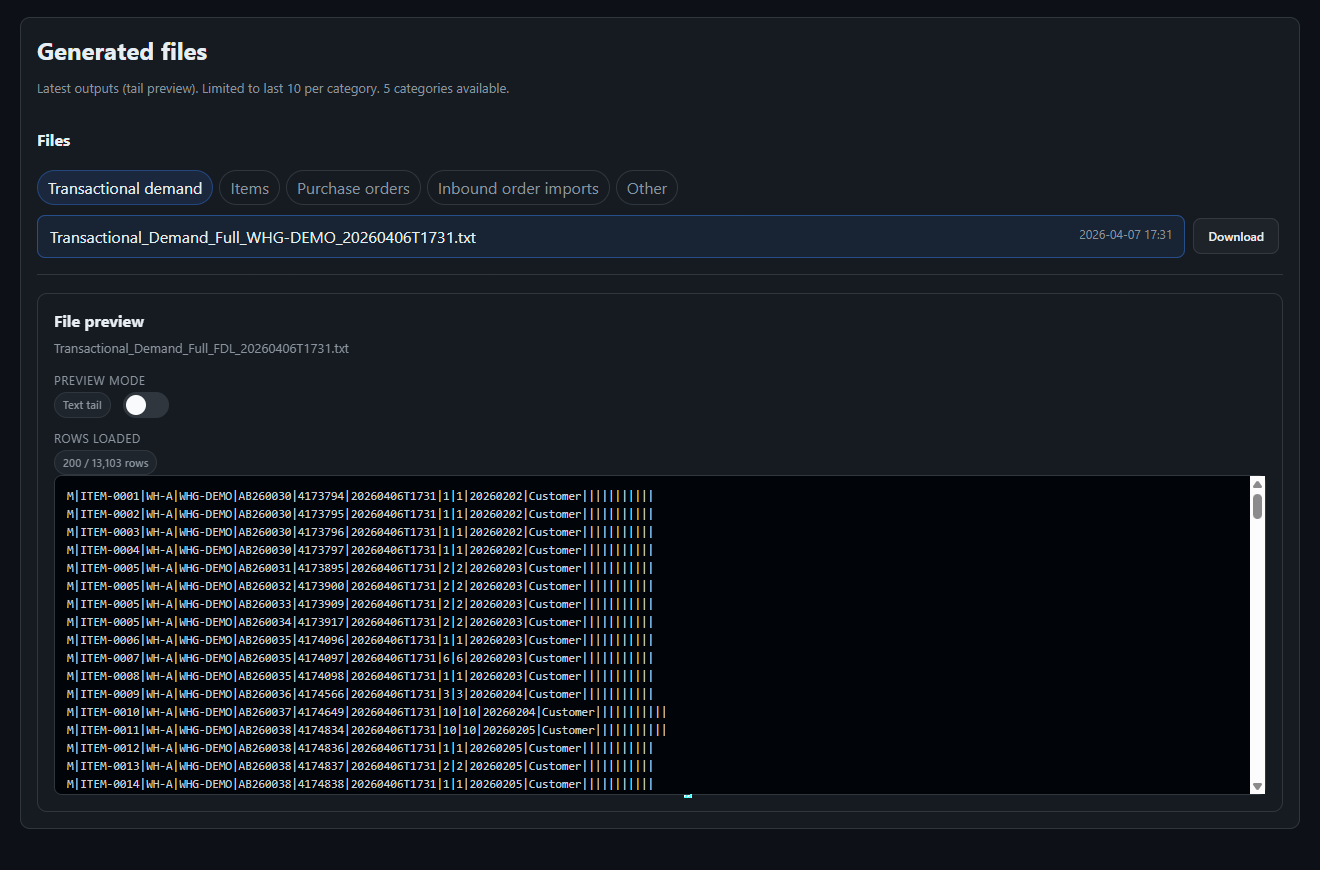
Configurable instead of hard-coded.
The difference between "the interface runs" and "the interface fits" is in details like these. All of it is configuration in the admin UI, not a change request to us:
Free-text mapping
Every source field of your ERP can be placed on the free-text columns. Your planner sees in EazyStock exactly the extra info they need for decisions, whether short description, tags or an active flag.
Value substitutions
Raw ERP values are translated by rule before anyone has to read them: TRUE becomes "active", codes become plain text. Definable per field.
Status and category filters
Cancelled orders, internal document types or whole article categories can be excluded per export. So EazyStock only computes with demand that was real.
Supplier selection for multi-sourcing
One article, several sources? A prioritised rule chain decides: primary supplier, shortest lead time, most frequent or cheapest according to order history. Traceable in the trace.
Warehouse mapping with roles
Warehouses aren't just mapped to EazyStock codes, they get roles: which warehouses supply demand, which count as stock, which appear in the target. Multi-warehouse done cleanly instead of across the board.
Article successors
If article B replaces article A, the link moves into the target: EazyStock inherits the predecessor's demand history instead of starting the successor from zero.
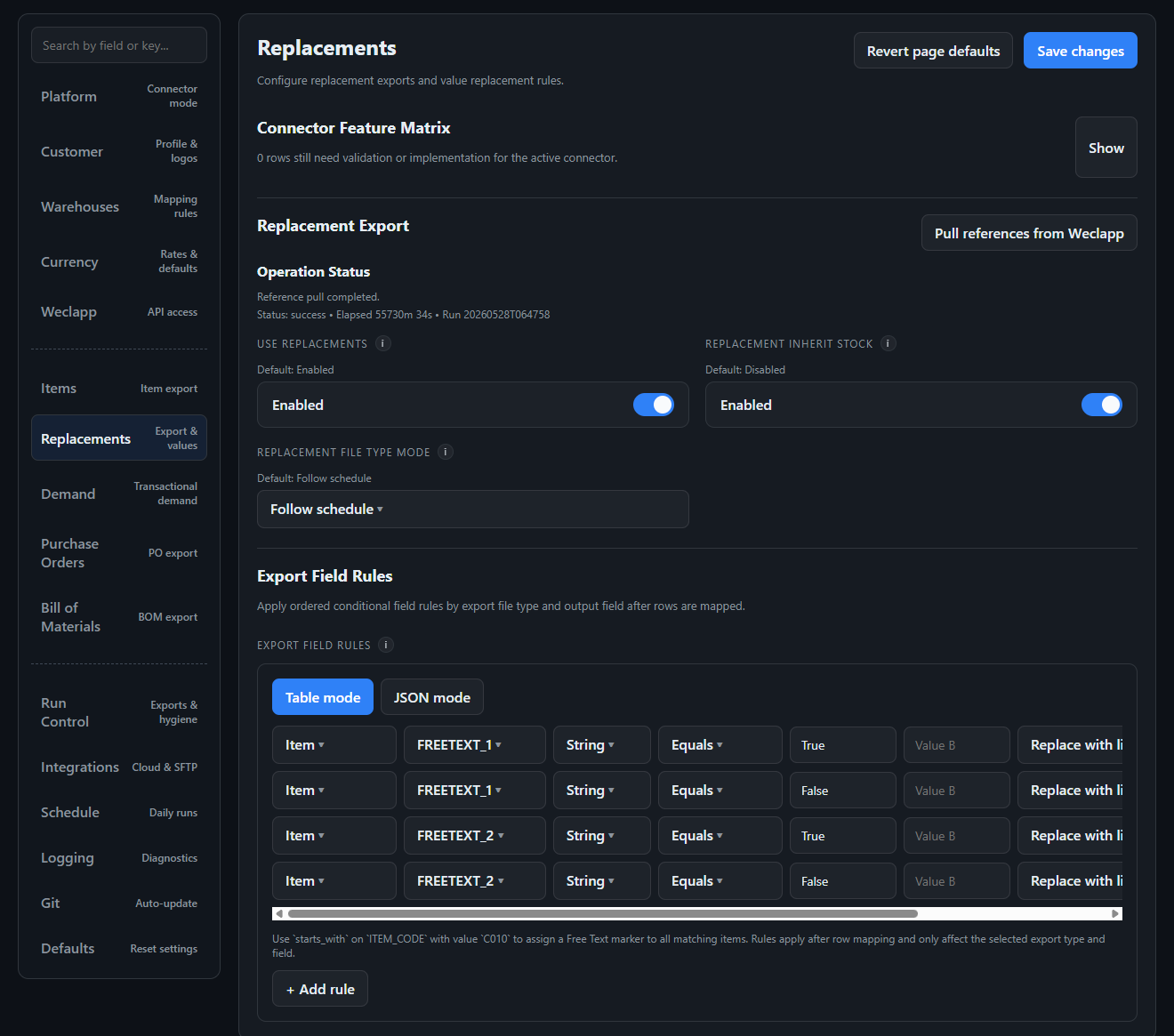
Setup wizard
The assistant guides through ERP access, reference-data retrieval and warehouse mapping, with exactly the fields the active connector needs. With weclapp the connection is up in minutes.
Inventory-policy tool
Service-level matrices can be simulated in advance and written straight back into your EazyStock import file, touching only the target columns, never the rest of your workbook.
For everyone who wants the full detail: architecture, lifecycle, operations.
Three layers, one rule: nothing mixes.
EazyERP isn't a pile of scripts, but a connector framework. ERP knowledge lives in the adapter, EazyStock knowledge in the target layer, everything reusable in the framework. Connecting a new ERP means writing an adapter layer, not forking a pipeline.
Your ERP
REST, SOAP or files. Read access via the native API, paged and with retry.
Auth, endpoints, paging. Normalises ERP responses into canonical records.
Run orchestration, locks, status, scheduler, SFTP, retention, diagnostics.
Field mapping, file specs, projection. Knows every column of the target files.
EazyStock
Receives spec-exact files via SFTP, returns order proposals the same way.
Which capabilities a connector has is declared by a central manifest: supported exports, settings pages, mandatory fields, feature flags. The admin UI and the runtime read the same definition, instead of maintaining a special path per ERP. Architecture tests in the repo enforce that the layers stay separate.
What really happens in a run.
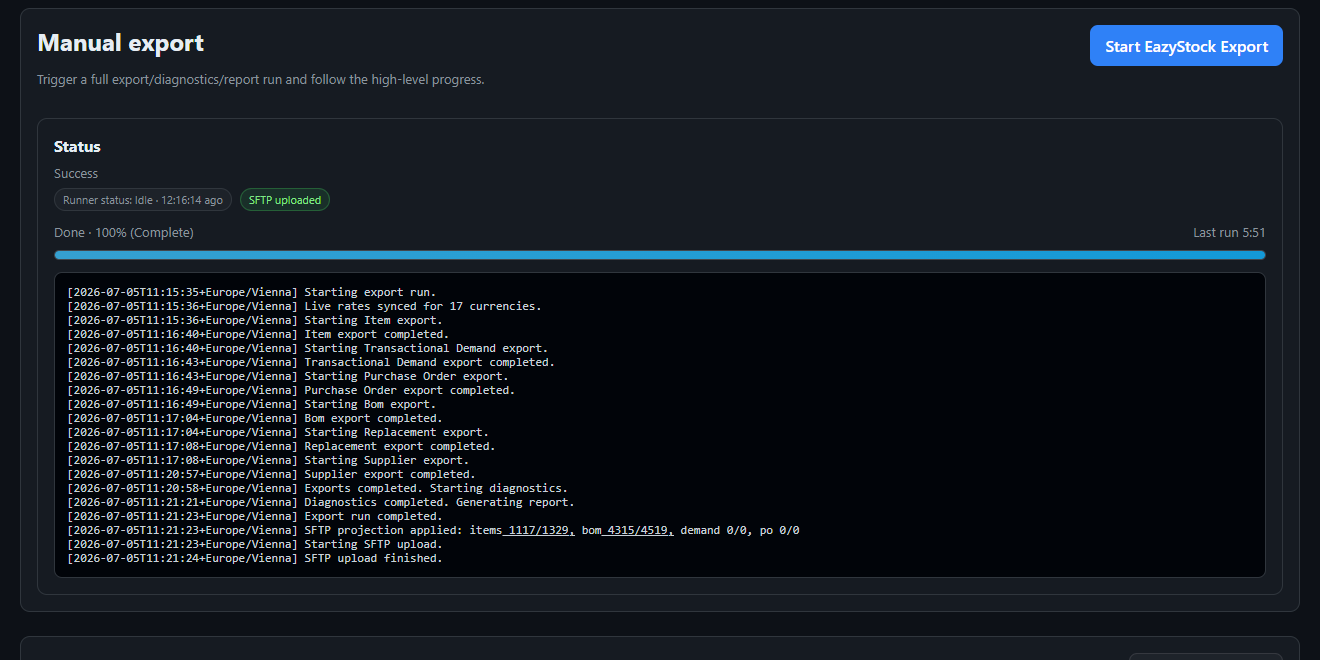
Every run, whether scheduled nightly or triggered manually from the admin UI, goes through the same sequence under a run lock. Everything it produces sits under a timestamp and stays immutable.
Why separating export and projection matters: the raw artefact stays the untampered truth of your ERP. Every adaptation to EazyStock specifics is a separate, diffable step, not a silent bending inside the export.
Request & lock: A request file triggers the run, the runner takes the run lock. Parallel runs are excluded.
Exports: Items, demand, orders, bills of materials run sequentially into output/<run_ts>/.
Diagnostics: Reference snapshots of the API responses, statistics, optionally the Excel comparison against your reference list.
Report: A client report as HTML plus XLSX attachment, readable for the department, not just for us.
Projection: Only now is EazyStock compatibility applied (default finalisation, category filters, currency workarounds), cleanly separated from the raw export into _sftp_ready/.
Upload: SFTP transfer to EazyStock, from the projected directory.
Status & retention: Every step writes status events; old runs are cleaned up according to retention rules.
Cancellable: A cancel request stops the running step in a controlled way. No hanging zombie process.
One client, one stack. No exceptions.
Your instance shares a runtime environment with nobody. The code comes from a shared, tested monorepo, but configuration, secrets, artefacts and hostname belong only to you.
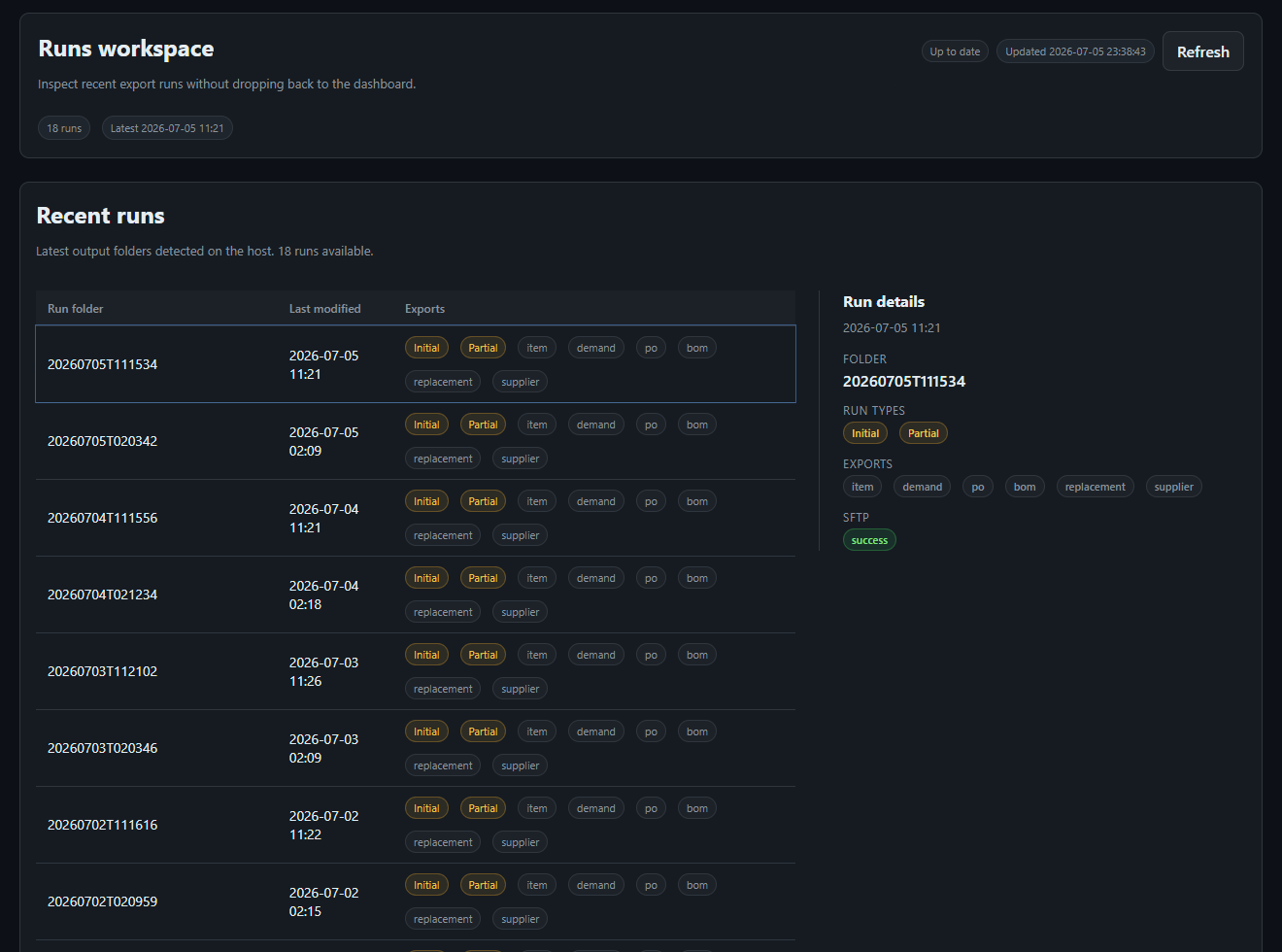
Isolated container stack
Runner and admin UI as their own container pair per client, with their own subdomain and route. One active ERP connector per instance, chosen by configuration, not by fork.
Separated data spaces
Configuration and secrets sit in the stack, not in the repo. A code update can't overwrite your settings; the bootstrap only creates what's missing, never rewrites what exists.
Central orchestration
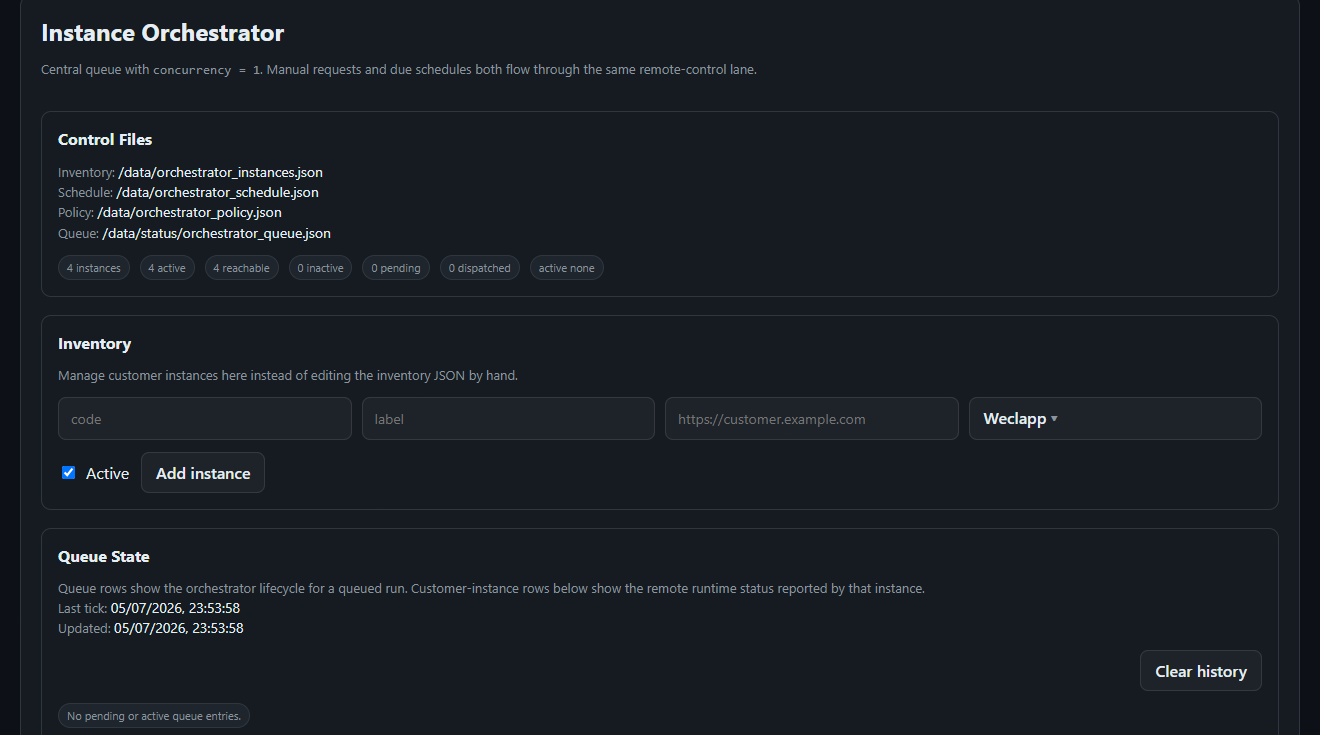
A control plane steers all client instances: schedules per time zone, a queue with deliberately one parallel run, maintenance mode and pause per instance, health checks that distinguish auth, DNS, timeout and HTTP errors instead of saying "unreachable".
Admin UI per stack
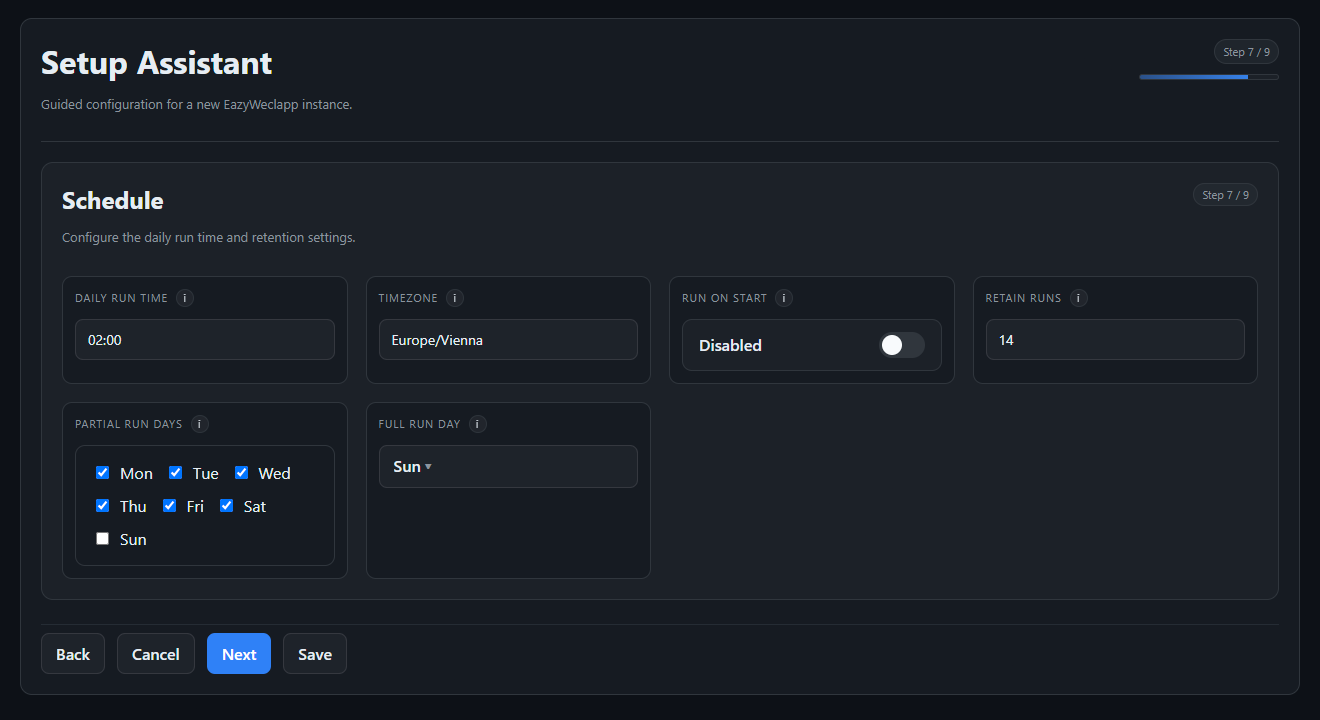
Setup assistant, manual runs, live status, logs, reports and file viewer. You can look in at any time, with exactly the rights your role grants.
"Why does it say 42?" always has an answer.
The sore point of every interface isn't the happy path, but the question afterwards about why a value is the way it is. For that, EazyERP has its own tools:
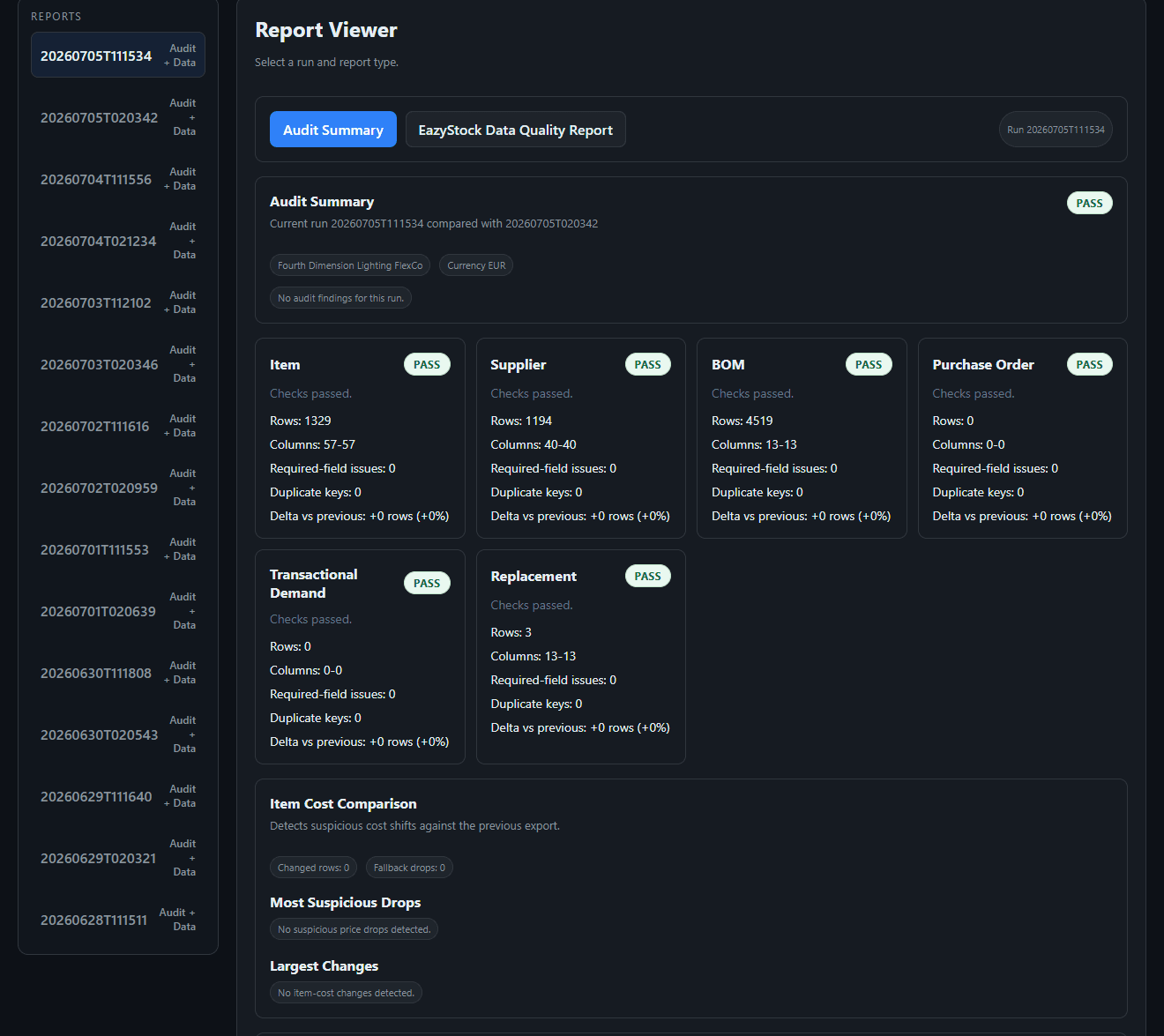
The quality gate: every run is checked against its predecessor.
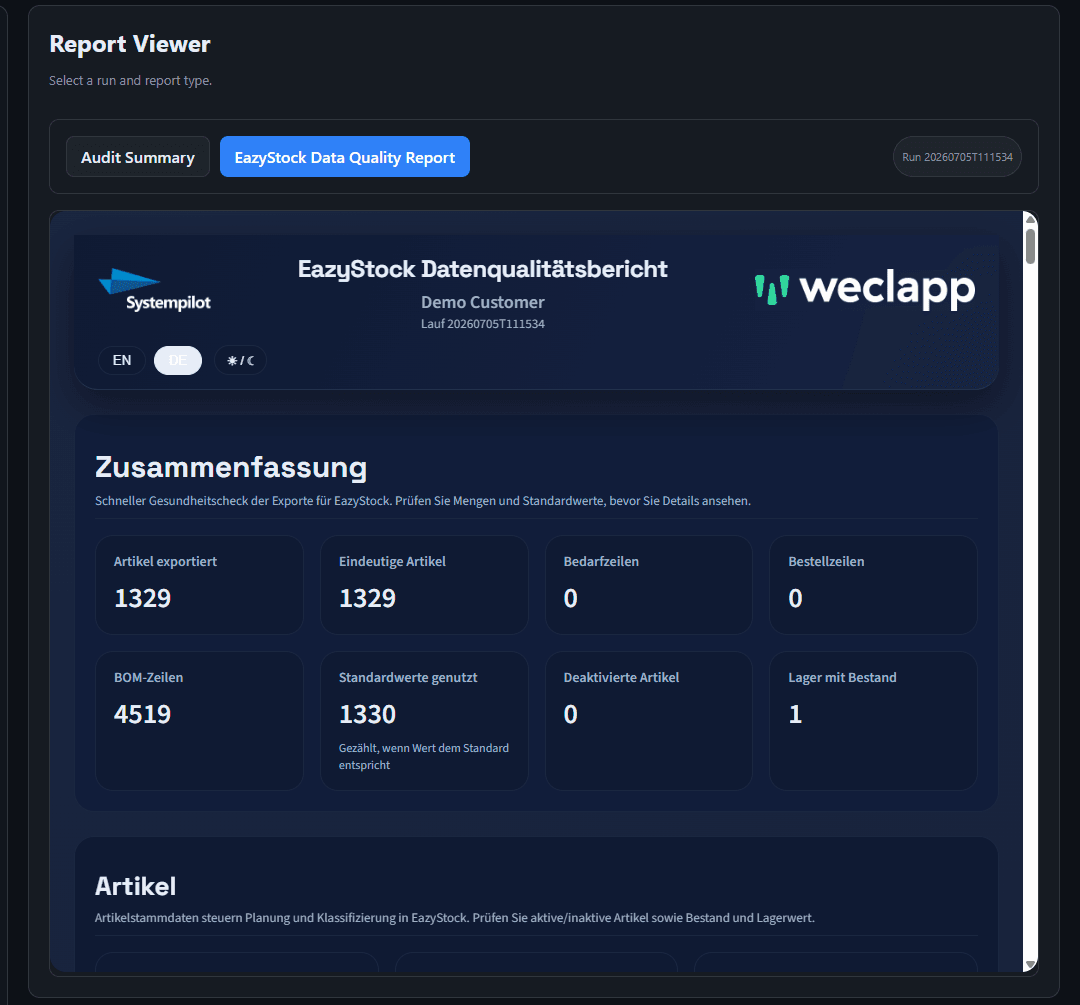
After every run, an audit compares the new exports with the last one: column counts, mandatory fields, duplicate keys, row deltas and suspicious cost jumps per article. Only when every check reports PASS is the run considered healthy. And the same finding goes to you as a readable data-quality report, bilingual.
Item traces
For each article, on request, a field-by-field derivation as HTML: which API value, which rule, which fallback led to exactly this number in the export. Including the supplier-selection path and cost source.
Reference snapshots
Every run stores the relevant API responses and statistics as a snapshot. What the ERP delivered at time X is later provable, not reconstructible.
Excel verification
You have a reference list from the department? EazyERP compares it automatically against the export, row by row, with configurable blank rules, and writes a mismatch report.
Tested like product code
Golden-file tests fix the export formats, conformance tests check every connector against the same contract, architecture tests keep the layers clean. No "it ran on our machine" deployment.
Documented down to the column.
Every field of the target files has a documented source and logic. An excerpt from the item spec, so you see the altitude at which this is defined:
You get the complete mapping of all file types in the project as a concept document, before the first row flows.
Rights by role, every decision in the log.
The admin UI isn't an open dashboard with a shared password. Sign-in runs via your identity provider, rights are role-based, and sensitive actions leave traces.
The security page of EazyStock itself (AWS EU, ISO 27001, SOC 2) is on the EazyStock product page.
SSO instead of a password list
Login via Google, Microsoft Entra or Zoho. Roles can be assigned directly from Entra groups; email allowlists are the fallback, not the model.
Six roles, fine-grained rights
From full access to a reports-only role for the department. Even "start run", "abort run" and "write secret" are separate permissions.
Audit trail
Config changes, secret writes, manual triggers and denied accesses are logged and viewable in the UI, with a filter on denials.
Secrets are write-only
API tokens and credentials are set once and never shown again, stored separately from the normal configuration and never committed to the repo.
Your ERP is the adapter layer.
The adapter encapsulates the specifics of your system, everything else stays the same. The connector library grows with every project; what's missing we build in the project, typically in days instead of months. And where no API exists, CSV via SFTP is enough.
REST API, cloud to cloud. Setup via wizard, our fastest connection.
Connected via the BC API, for cloud and on-prem installations.
OData web services. No reason for an ERP switch if NAV still runs well.
SAP Business One via the Service Layer, coordinated with your SAP partner.
Connected via SQL and Toolbox, proven in the mid-market.
API and file interface, depending on the Comarch product line.
Your system missing?
No exclusion criterion: we build the adapter in the project, or start with CSV.







Want to know it in even more detail?
Then bring your IT lead into the intro call. We go through architecture, data path and your ERP concretely, no marketing slides.
The questions your IT will ask.
Does EazyERP only read, or does it also write into our ERP?
Regular operation is read-only, via your ERP's native API. Exactly one thing is written: approved order proposals become orders, production orders for manufactured articles. Every created document is verified and recorded in a manifest. There are no other write accesses.
How do you prevent duplicate orders?
Via a processed-state manifest: every processed proposal file and every document created from it is recorded with an ID. A repeat run first checks the manifest and creates nothing twice. The source file is also deleted only once all documents are created and verified; on partial failures it stays put and the report shows what went through and what didn't.
What happens if a run fails at night?
Every step writes status events, the run holds a lock and aborts in a controlled way instead of running half through. Monitoring via Loki and Grafana reports the error, and as a rule it's fixed before your purchasing sits down in the morning. How this operation is organised is described by Managed Operations™ (Module 04).
Our ERP has no ready-made connector. Now what?
Then we build the adapter layer in the project: ERP client, fetch logic, normalisation. The framework, export formats, diagnostics and operation already exist, so we're talking days to a few weeks, not an integration project. Custom connector development is typically €5,000 to €15,000. And if your system can only export CSV, that's enough too.
Where does EazyERP run and who gets to our data?
On our own infrastructure at Hetzner, all in the EU, as an isolated stack just for you. Access to the admin UI runs via SSO with roles; API tokens are stored write-only. Article, stock and document data is processed, no data outside the procurement context.
For on-premises ERPs without a public interface, the secured network path of the Integration Accelerator™ is added.
Can we look in ourselves?
Yes, and in a graded way: the department gets a reports role and sees runs and client reports; your IT can view logs, files and item traces with operator rights and start runs manually. Every derivation down to the individual export column is thus visible on your side, not just ours.